
How to use regular expressions (regexp) validation in an Open question?
Regular expressions - regexp - are an advanced text validation mechanism that allows you to force respondents to enter their answers in a strictly defined format. This feature acts as a precise filter – it only accepts answers that perfectly match your predefined pattern (e.g., a 5-digit US ZIP code or a specific phone number format). This ensures your collected data is consistent, clean, and ready for analysis without the need for manual corrections.
Availability and Setup
The Regexp validation feature is designed specifically for single text fields. To use it:
Add an Open question to your survey.
In the right-hand options menu, under the Response field section, open the dropdown and select Custom format.
Enter the appropriate code in the Regular expression field.
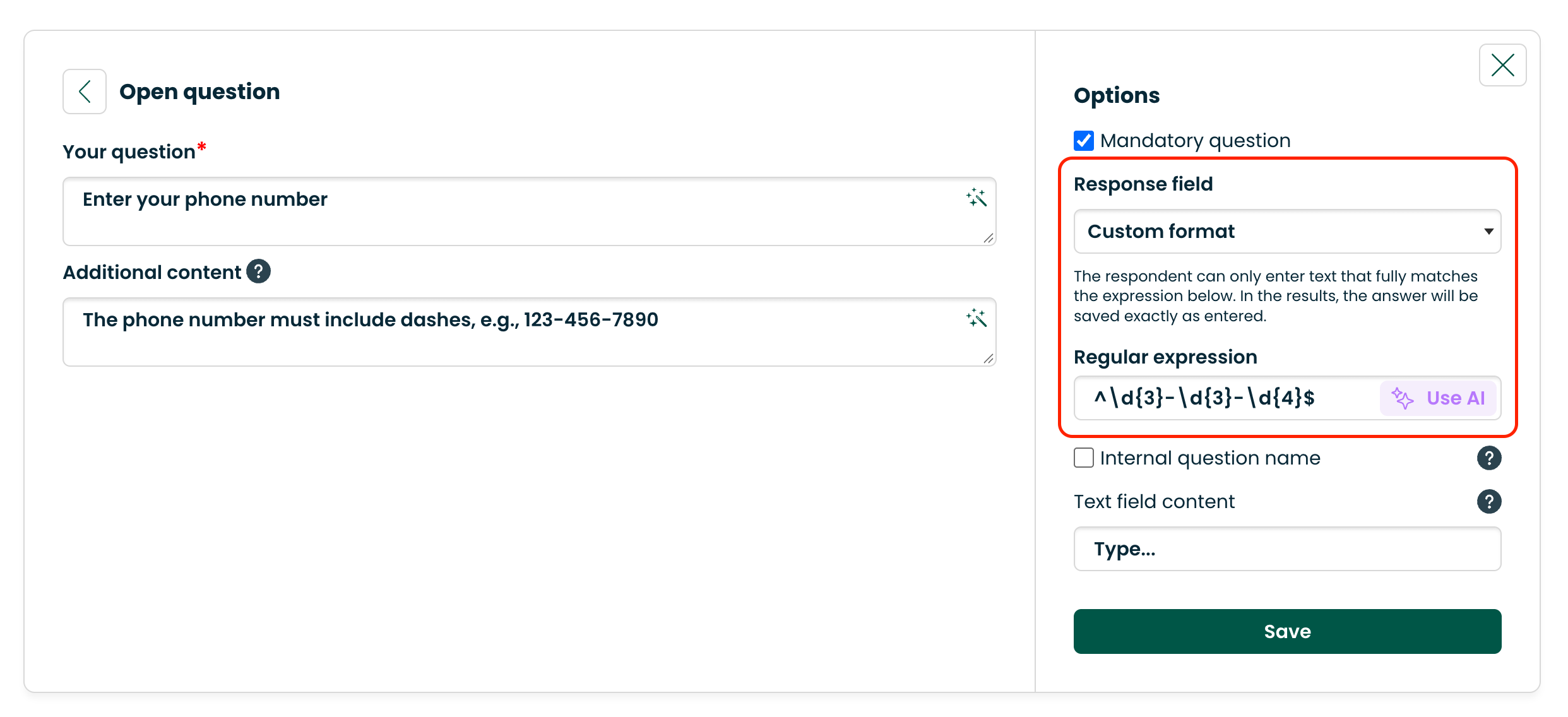
Important limitations:
Regexp validation works only for standard Open questions.
The "Custom format" option is currently unavailable for Form questions and Follow-up questions.
AI Generator – "Use AI" feature
You don't need any programming knowledge to use this feature. Next to the Regular expression field, you will find a Use AI button. Once you click it, simply describe the desired format in your own words (e.g., "US phone number", "ZIP code in XXXXX format") in the Describe the format in words field. Click Generate expression, and the system will automatically create and apply the correct Regexp code. 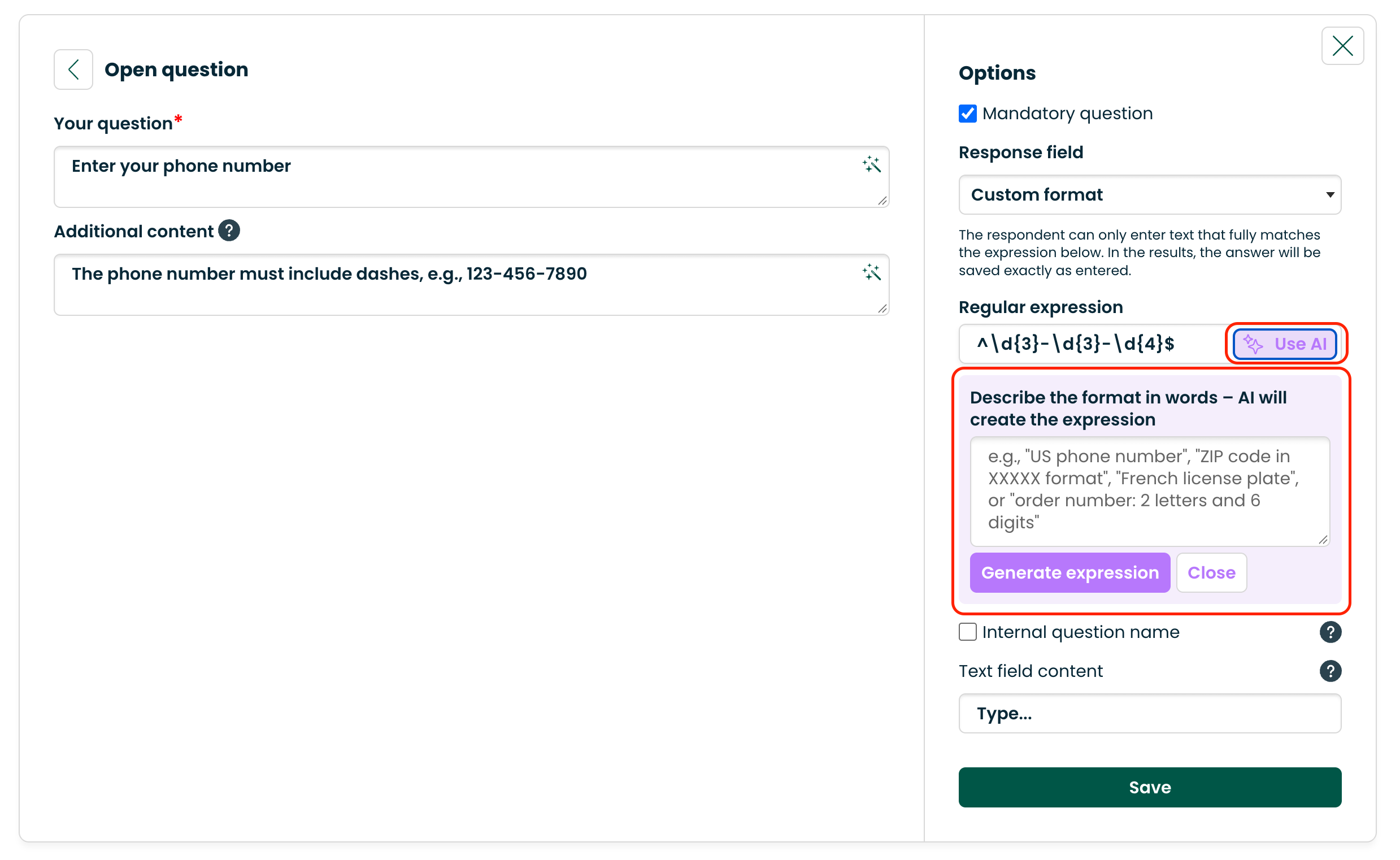
Error Messages and Best Practices
If a respondent enters a value that does not match your Regexp code, the system will prevent them from submitting the answer, highlight the field, and display a standard error message: "Invalid data format".
Currently, the system uses one universal message for this feature. This means that if you have multiple questions with Regexp validation in your survey, you cannot set a customized error message for each one individually.
Recommendation: To help respondents fill out the survey correctly and avoid frustration caused by a generic error message, always fill in the "Additional content" field in the question configuration.
Use it to provide clear instructions on the expected format, for example:
"Please enter the ZIP code in XXXXX format."
"The phone number must include dashes, e.g., 123-456-7890."
"Enter the date in the YYYY-MM-DD format."
Example Codes to Copy
Below you will find some of the most common regular expressions that you can paste directly into your question configuration:
US ZIP Code (5 digits):
^\d{5}$US Phone Number (format XXX-XXX-XXXX):
^\d{3}-\d{3}-\d{4}$Standard Email Address:
^[a-zA-Z0-9._%+-]+@[a-zA-Z0-9.-]+\.[a-zA-Z]{2,}$Date (YYYY-MM-DD):
^\d{4}-(0[1-9]|1[0-2])-(0[1-9]|[12]\d|3[01])$Order Number (exactly 2 letters followed by 6 digits):
^[A-Za-z]{2}\d{6}$