
The integration with the Slack communicator - a description of the operation
The Startquestion platform allows you to integrate the activities performed with the use of the tool with one of the most popular messaging services used by companies - Slack. The integration makes it easier for the user of Startquestion to provide information regarding the completion of a specific questionnaire. After completing the survey by the respondent, the information will be sent automatically to the selected channel in the Slack messenger.
How to start integrating Startquestion and Slack?
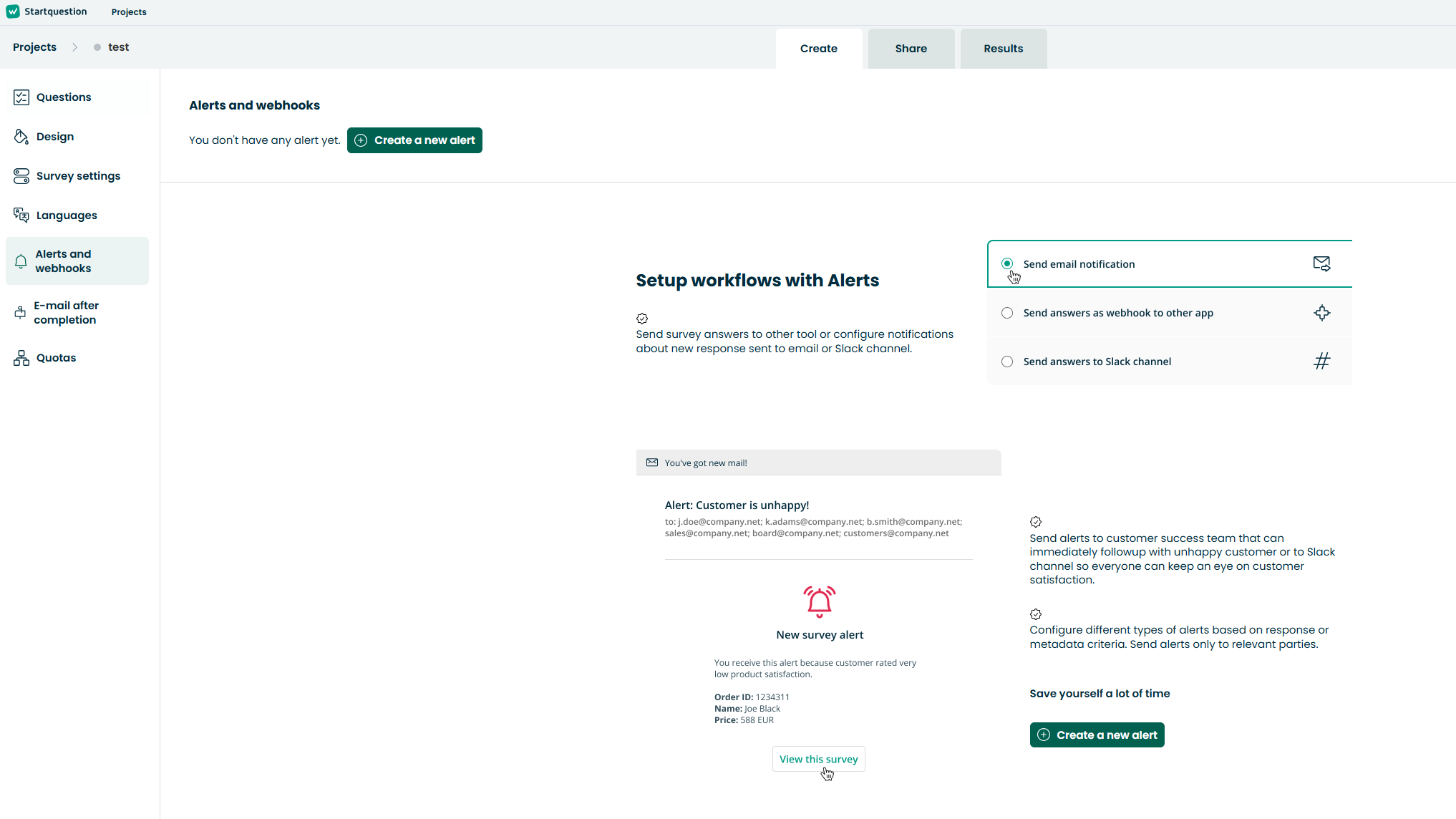
At the beginning it should be noted that the integration with Slack is available in the Alerts - notifications created for a specific survey. You can read more about the Alerts and their creation in the Startquestion guide .
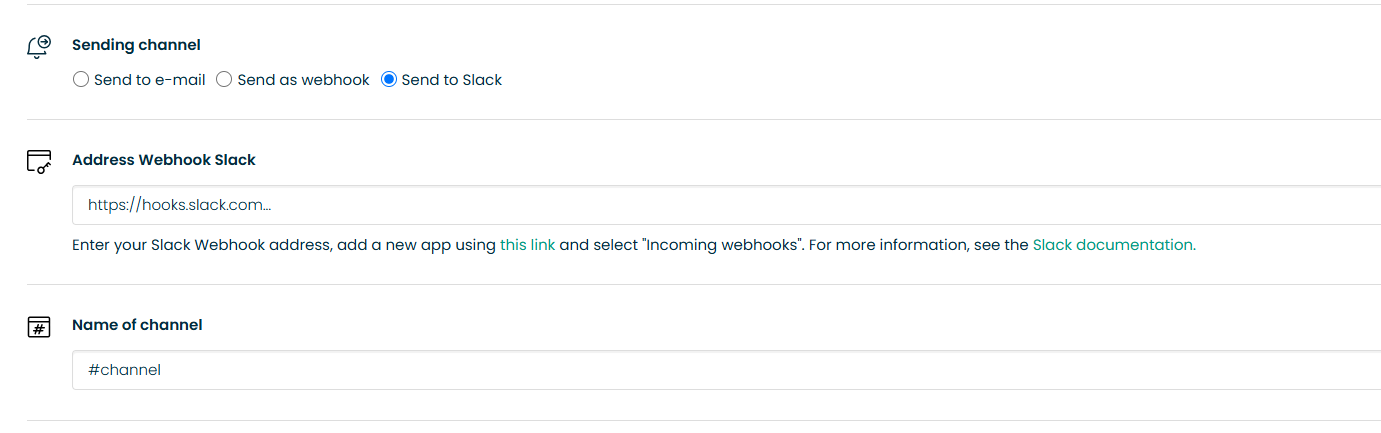
1. To start integration with Slack in the selected survey, you have to enable the Alerts tab. You can add an alert by going to the Settings tab, then Alerts and clicking the button: Add new alert. In the form that will be displayed on the screen, enter the name of the alert and select the option Sending channel: Send to Slack channel.
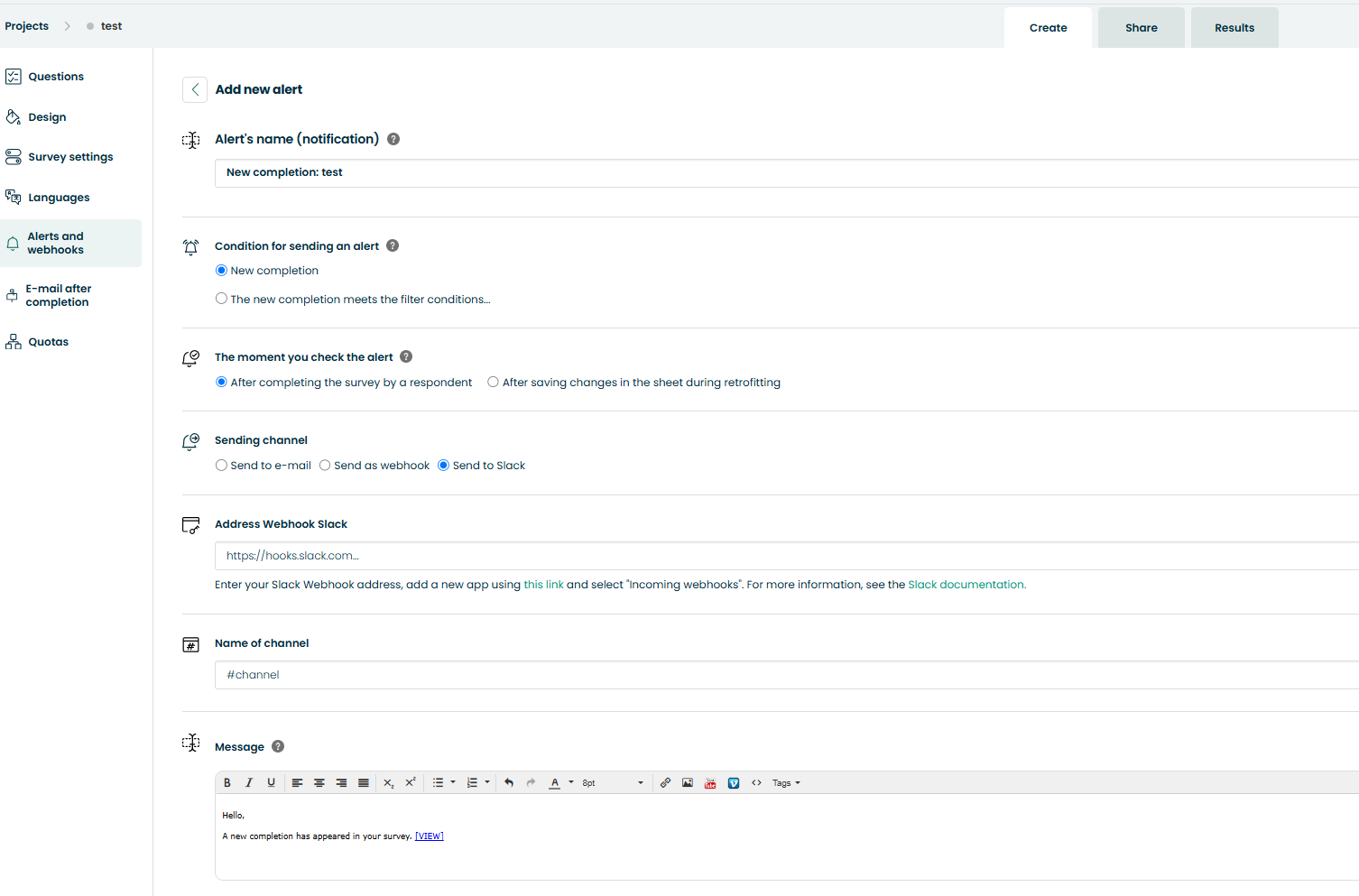
2. In the field: Slack Webhook Address, paste the URL that we obtain by creating the application in our workspace (at this link you can create a workspace and generate the url) and enable integration via "Incoming webhooks" (see description here)
3. In the field: Slack channel name, you should additionally define to which Slack channel should the messages be directed.
4. The message that is sent to the user after the respondent completes the questionnaire is fully customizable. This means that you can insert your own content, the respondent's answers (ANS_ macros) and information about the filling itself (other macros - link to be filled in, link to the sheet, fill id). The selected macros can be inserted by clicking on the button: Dynamic content.
Remember that your Slack channel does not have to receive information about all of the fills. It is possible to filter the fills through the filter you have created (you can read about how to create it in this article), so that, for example, only fills with a NPS score qualifying for the critic group are sent to Slack.