
Download Center
One of the key features of the Webankieta platform is the ability to generate files based on collected responses. These can be various types of reports, respondent lists, or raw data in many formats.
We realize that these files may contain sensitive business information. Therefore, to ensure the highest level of security, we have created a dedicated File Download Center.
Where is the Download Center located?
After navigating to a selected project, you will find the Download Center button in the top right corner.

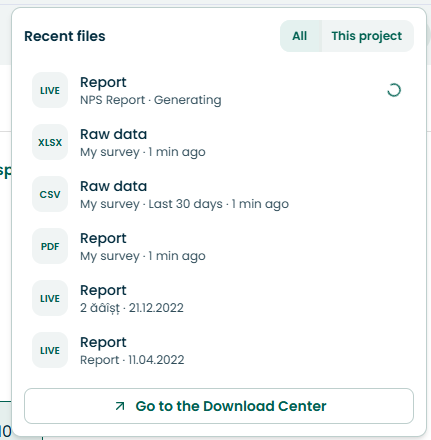
After selecting it, we can view reports from all projects on our account or from the specific project we are currently in.
What will I see on the Download Center page?
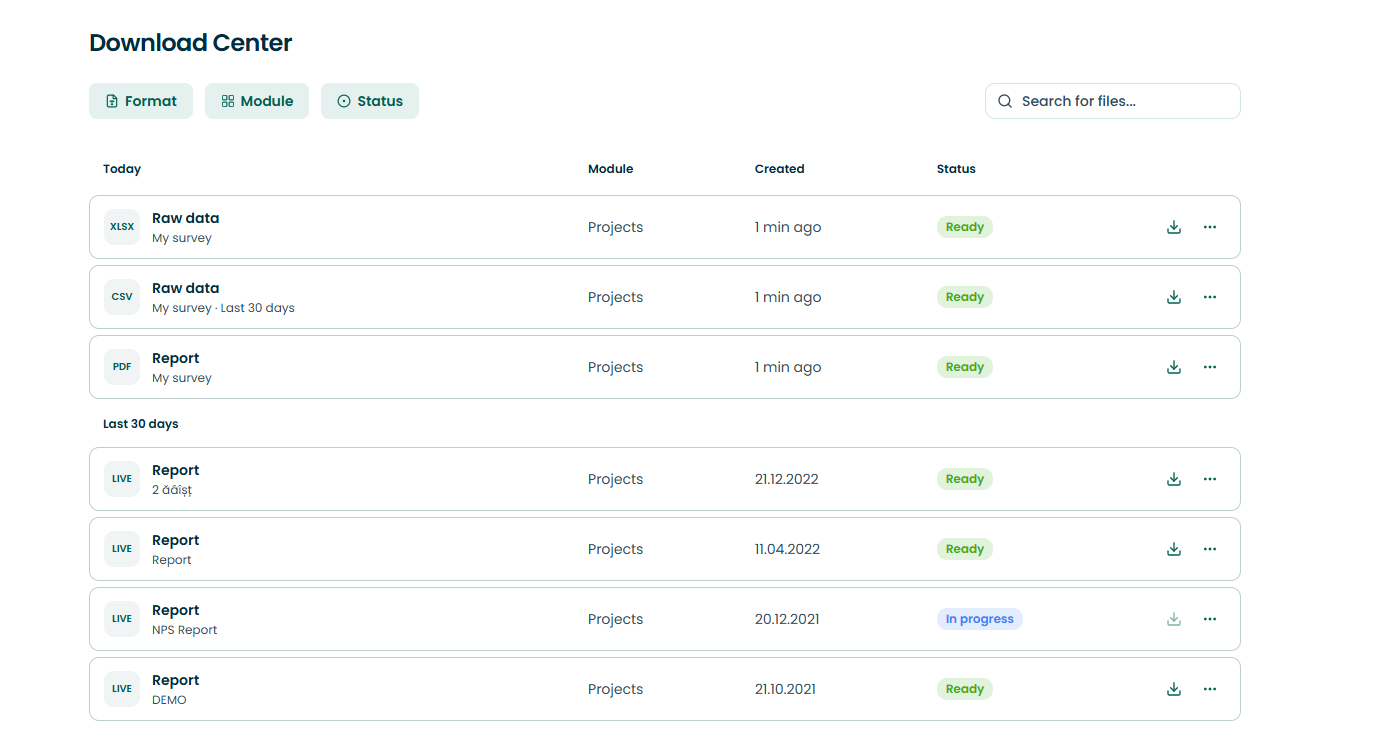
After selecting the 'Go to Download Center' button, you can find files that have been generated by you while working on the Webankieta platform. Successive rows represent a single file and are arranged chronologically.
In each row, you will find the following information about the given file:
Type - specifies the type of data the file contains, e.g., "Report", "Raw data".
Format - specifies the format in which the file was generated, e.g., XLSX, PDF.
Name - indicates the filters applied to generate the file,
Status - specifies the state of the file generation process,
Icons for downloading and removing the item from the list.
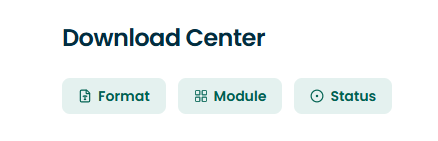
Additionally, we have the ability to filter generated reports based on data format, module, or generation status:
Important:
Files are stored on the server and ready for download for 7 days from the date of their generation. After this period, the files
will be deleted.
This solution aims primarily at even better securing the data contained in the generated files. It significantly affects not only the protection of confidential company information but also increases the security of personal data.
How does the Download Center work?
After sending a file generation request to the Webankieta platform, the system itself will decide whether it can generate it in real-time. If the size and complexity of the data are large enough that the generation cannot happen right away, the user will be informed.
In the first case, the file download process through the browser will start immediately and occurs the same way as with many other files downloaded via a browser. Upon completion, the file will be on your device's hard drive. Additionally, information about the file generation will be recorded in Downloaded files, where the file will be available for re-download for 7 days. This solution ensures security (the file can only be downloaded after logging into the platform), convenience (the download process starts immediately after sending the request to the platform), and certainty (for 7 days you can return to the file and download it again in Downloaded files).
In the second case, the user will be shown a message about the start of file generation and an invitation to visit the Download Center. After going to Downloaded files, you will be able to track the status for each of your files. The platform displays various states in this regard, visible in the Status column:
Waiting – the file generation has not yet started,
Generating – the file generation process is ongoing,
Ready – the file has been generated and is ready to download,
Generation error - failed to generate the file, we recommend contacting the Webankieta Technical Department,
Deleted by system - the file was removed from the servers 7 days after its generation.